

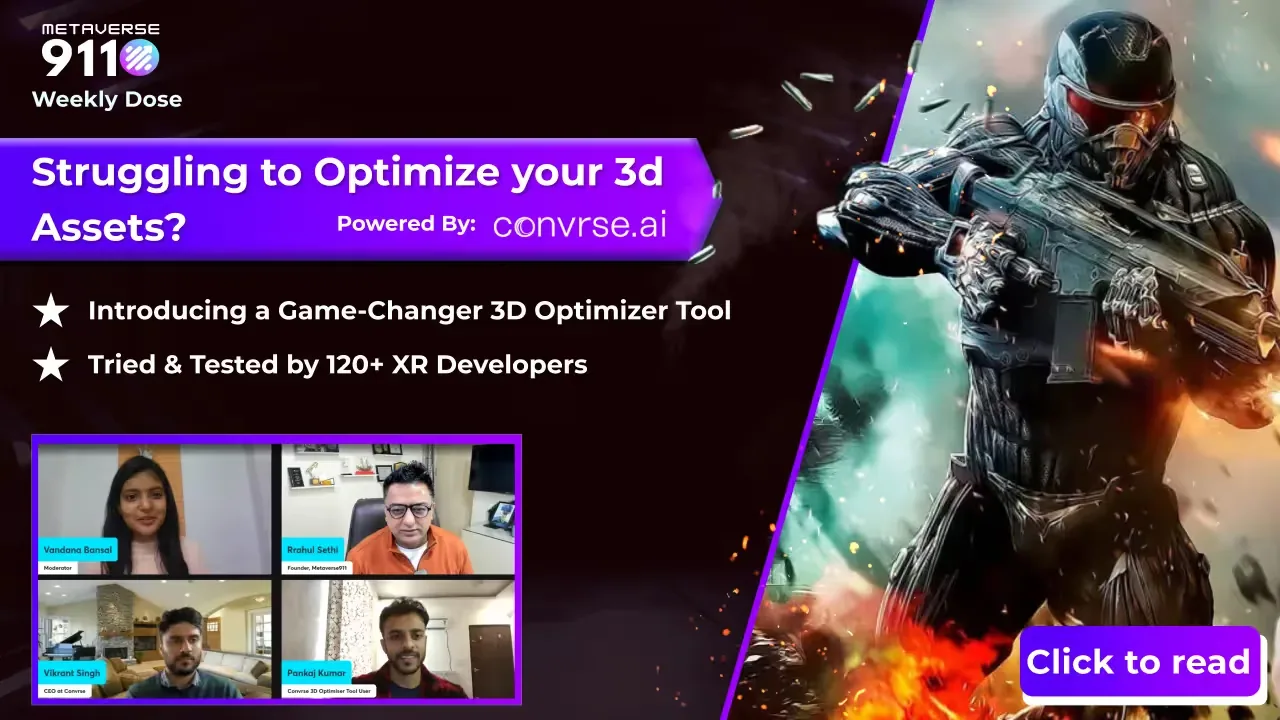
We introduced the 3D Optimiser tool, developed by the Convrse.ai team, at a LinkedIn event on reducing the size of 3D assets. The tool is built to reduce the size and polygon count of 3D models by 80% without compromising quality. It was reviewed by more than 70 3D designers and developers from VR, AR and gaming companies.
This guide explains why optimisation matters for any company using 3D content, and the seven features that make the job easier.
Why 3D models need optimising
Performance
3D models and scenes can contain huge numbers of polygons, textures and other elements. Reducing the polygon count, simplifying geometry and optimising textures makes them render smoothly on a wider range of hardware.
Efficient use of devices
Heavy assets use a lot of memory and processing power. Optimised assets run on more devices, which matters when a 3D experience has to work on a phone or in a web browser as well as on a powerful PC.
A smoother workflow
Artists and designers often build very detailed models. Real-time applications such as AR viewers, VR training and digital twins need lighter versions. An optimisation tool closes the gap between content creation and real-time use.
Seven features that make optimisation easier
1. File conversion
Convert 3D files into more than 30 formats, so models work across different applications and software.
2. Heat mapping and mesh analysis
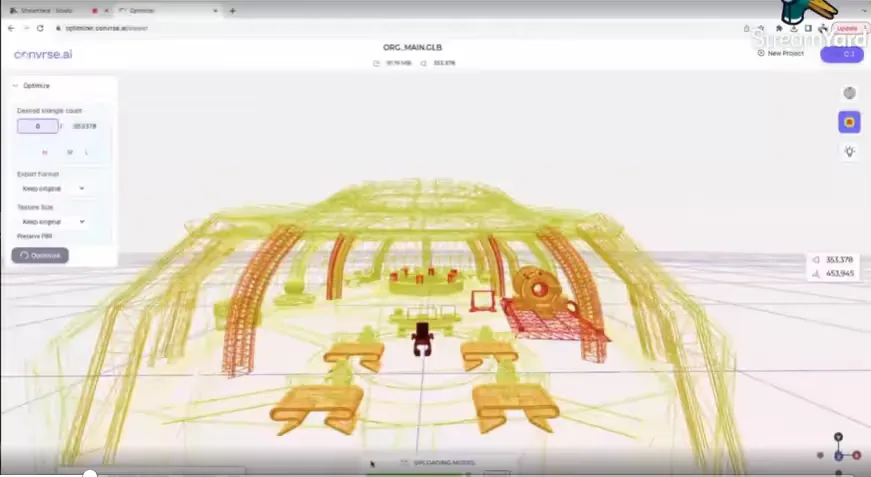
An interactive heat map shows where the detail sits in a complex scene. The tool suggests mesh improvements, and you can adjust the settings to fine-tune each model.
3. 3D viewer and editor
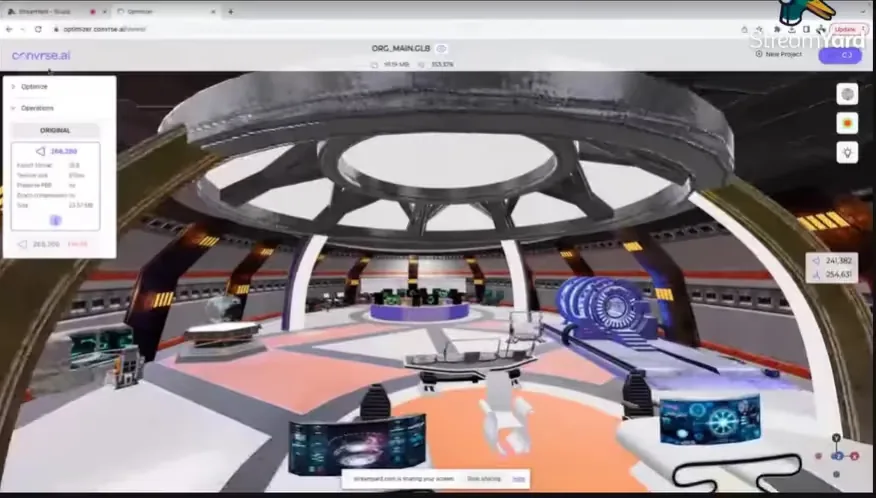
An inspector tool lets you adjust the scene in real time and check the result visually before you export.
4. CAD file support
CAD support connects engineering design with real-time 3D. It simplifies data preparation and optimisation, so CAD models can be used in visualisation projects.
5. Selective optimisation
Optimise individual assets or groups within a scene. You decide where to keep detail and where to save on performance.
6. Batch optimisation
Upload large projects with many files and get a notification when processing is complete. This saves time across a production run.
7. Scene management
Remove old or unused projects from your profile to keep the workspace organised and focused on current work.
How to apply this to your 3D content
If your company already has CAD models of its products or machines, those files are the starting point for AR product viewers, VR demos and digital twins. Optimising them first means each experience loads quickly and runs on the devices your customers and staff actually use.
Decide early which parts of a model must stay detailed, such as a control panel or a branded surface, and which can be simplified. Selective optimisation and the heat map make those choices visible.
Next step
If you want to adopt the 3D Optimiser, or need help turning CAD files into real-time 3D content, talk to our team and we will connect you with the right people.
First published on the Metaverse911 blog.
Frequently asked questions
Why do 3D models need optimising for AR, VR and digital twins?
3D models need optimising because detailed models are too heavy to run smoothly on phones, browsers and headsets. Reducing the polygon count, simplifying geometry and optimising textures helps AR viewers, VR training and digital twins render smoothly on a wider range of hardware, use less memory and processing power, and run on the devices that customers and staff actually use.
What is the 3D Optimiser tool developed by Convrse.ai?
The 3D Optimiser is a tool developed by the Convrse.ai team to reduce the size and polygon count of 3D models by 80% without compromising quality. Metaverse911 introduced it at a LinkedIn event on reducing the size of 3D assets, and it was reviewed by more than 70 3D designers and developers from VR, AR and gaming companies.
Which features make 3D asset optimisation easier?
Seven tool features make 3D asset optimisation easier: file conversion into more than 30 formats, heat mapping and mesh analysis, a 3D viewer and editor for real-time checks, CAD file support, selective optimisation of individual assets or groups, batch optimisation of large projects with a completion notification, and scene management to remove old or unused projects from your profile.
Can CAD files be optimised and used for AR, VR and digital twin projects?
CAD files can be used for AR, VR and digital twin projects once they are optimised. CAD support in an optimisation tool connects engineering design with real-time 3D and simplifies data preparation. Companies that already have CAD models of their products or machines can use them as the starting point for AR product viewers, VR demos and digital twins.
How do we decide which parts of a 3D model to keep detailed during optimisation?
When optimising a 3D model, decide early which parts must stay detailed, such as a control panel or a branded surface, and which parts can be simplified. Selective optimisation lets you optimise individual assets or groups within a scene, and an interactive heat map shows where the detail sits, which makes those choices visible before you export.
More from the blog
 Blog · 3D content
Solving 3D asset optimisation for AR, VR and digital twin projects
Heavy 3D models slow down AR, VR and digital twin projects. How the Convrse.ai 3D Optimizer cuts file size by up to 80% while keeping visual quality.
Read the postBlog · 3D contentHow to reduce 3D asset size by up to 80% without losing quality
How mesh decimation, texture compression and AI can cut 3D model size by up to 80% without losing visual quality, and why it matters for AR, VR and twins.
Read the post