
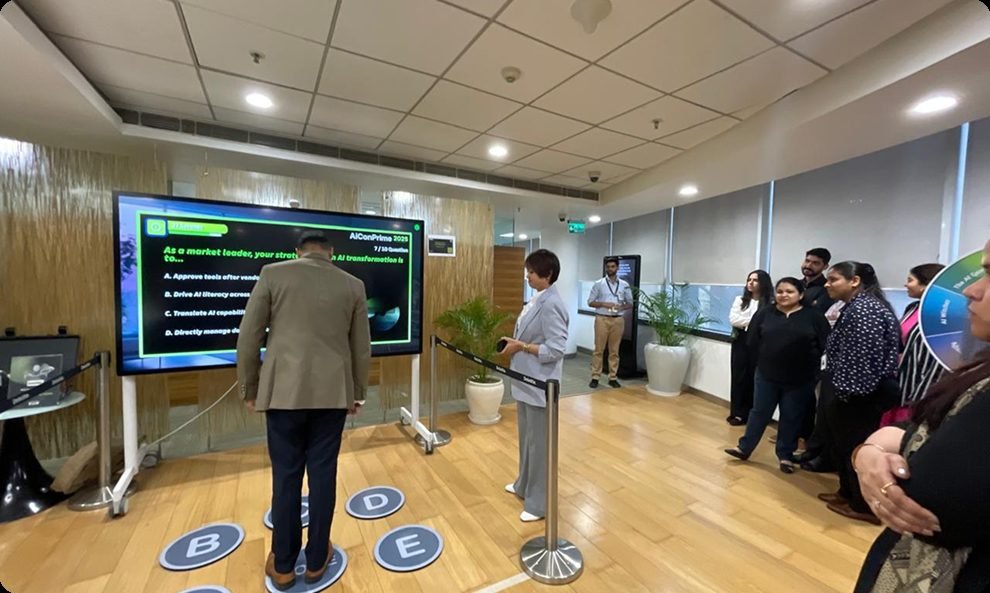
Gamified learning
Turn training sessions into games. Gesture-based games, quizzes on touch screens and team challenges keep trainees focused and make the lesson stick. Leaderboards make it a friendly competition across shifts and plants.
- Gesture-based games with no controllers
- Quizzes and challenges built around your products and processes
- Leaderboards and certificates
Used for: product training, dealer training, safety weeks, induction days.
More about gamified learning
What gamified learning is
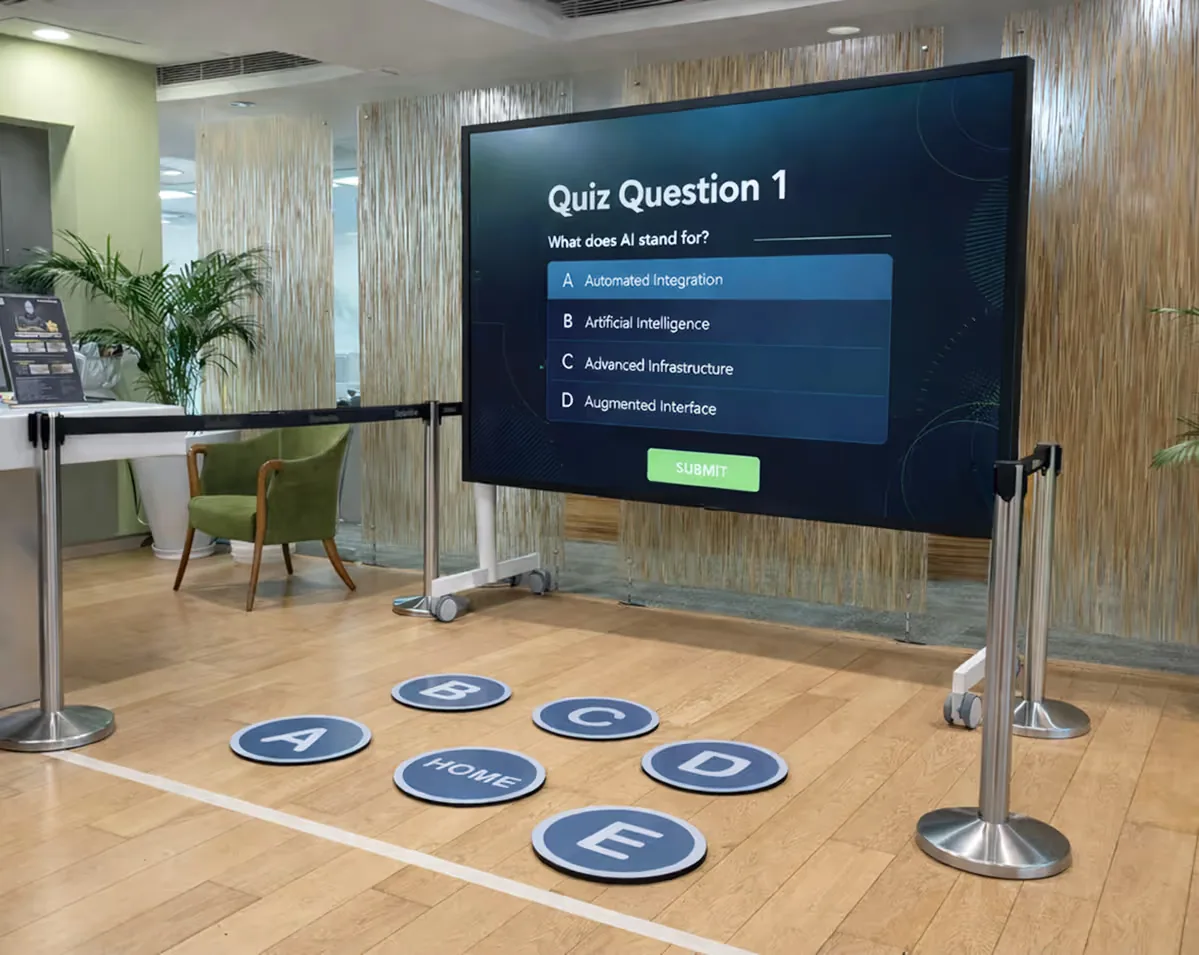
Most training assessments are a web form that employees click through. Gamify L&D turns the assessment into a game. Employees answer questions by stepping onto sensor-based floor pods, see instant feedback on a large screen and compete on live leaderboards.
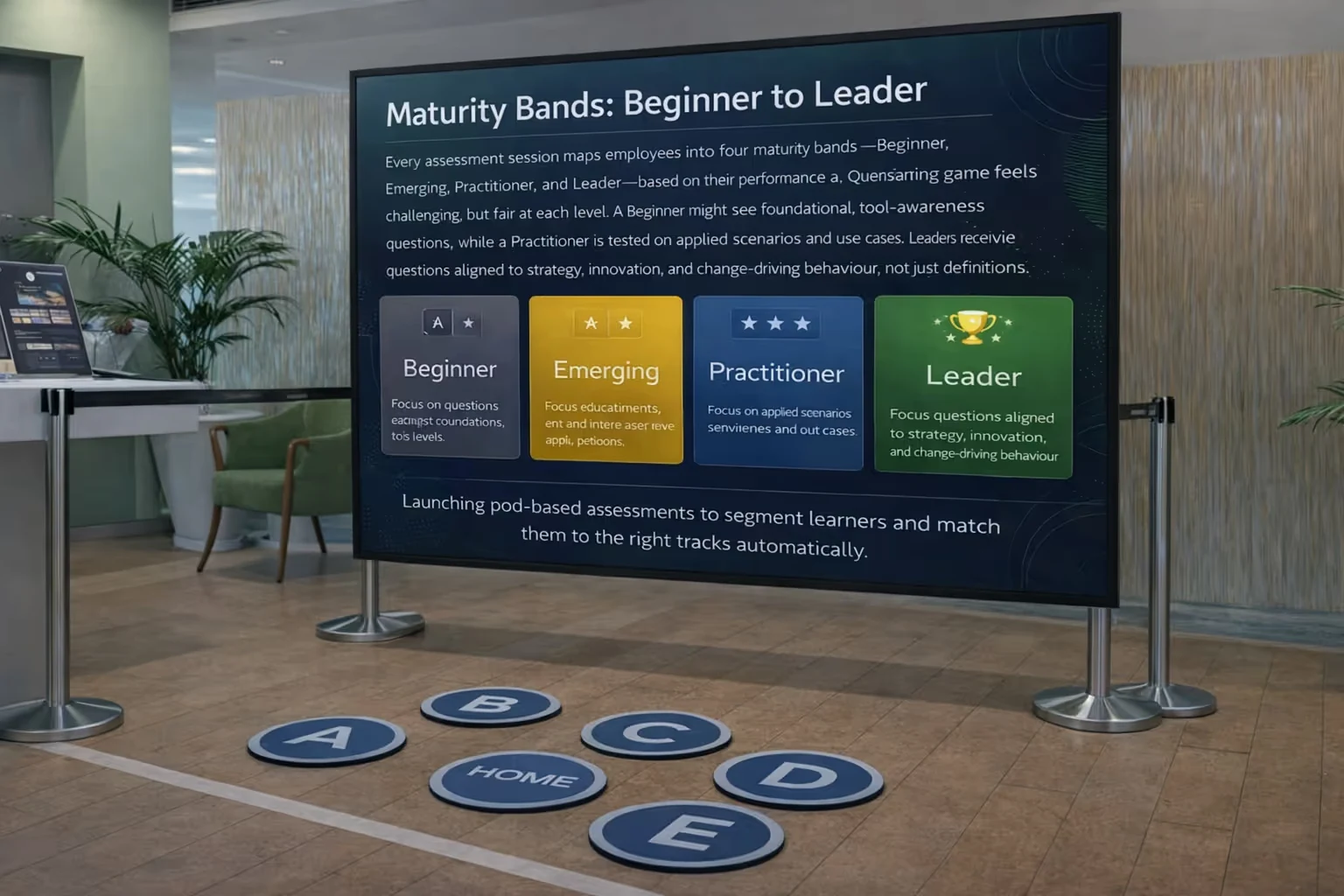
The game does more than record attendance. It places each employee in a maturity band, from Beginner to Leader, and maps them to a learner persona, so HR can recommend the right learning journey next.

Who it is for
- Capability academies and internal universities.
- AI readiness and digital fluency programmes.
- Onboarding and early-career programmes, including induction days.
- Product training, dealer training and safety weeks.
How it works
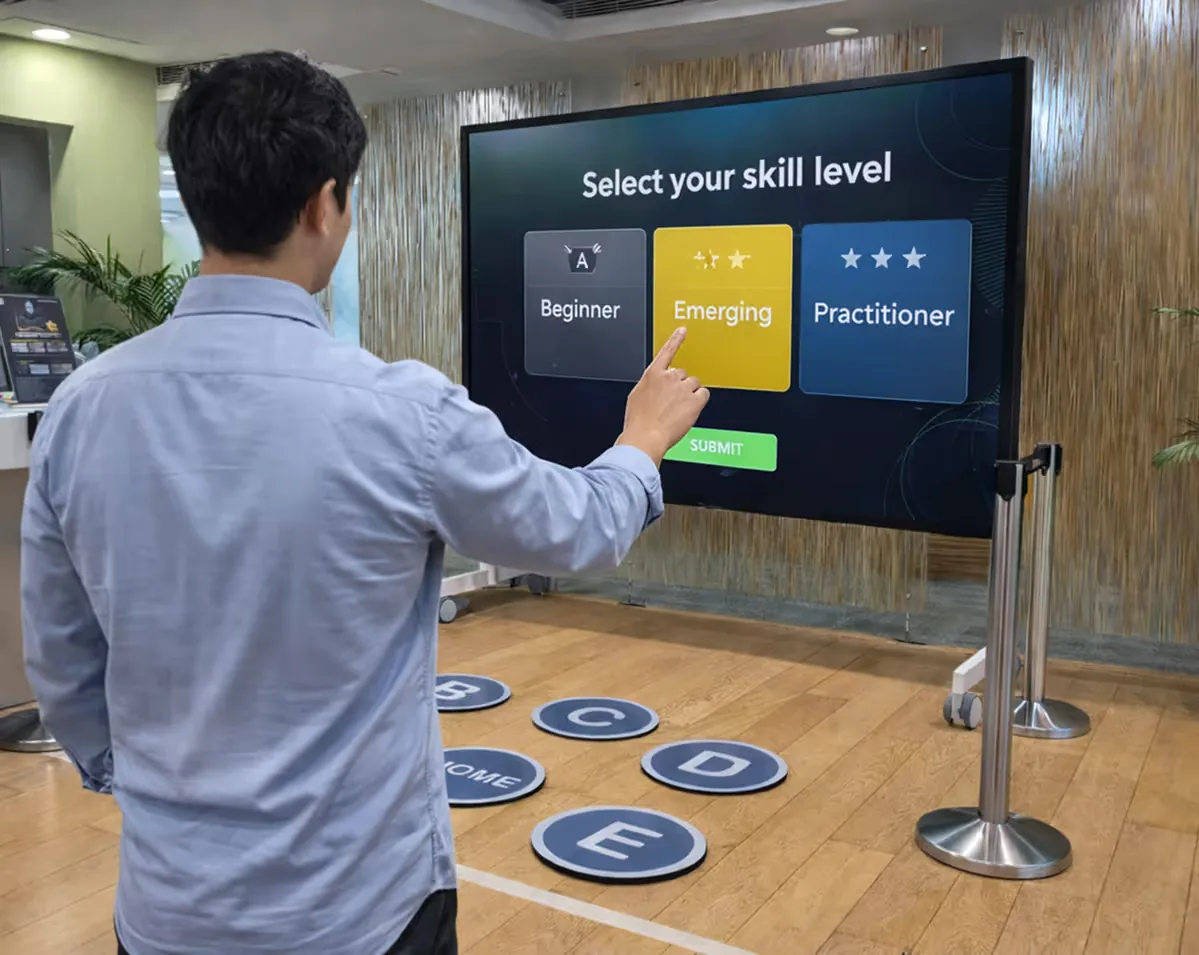
- The employee logs in on a touch screen and the game begins.
- Questions appear on the screen. The employee answers by stepping onto one of the floor pods, with no controller needed.
- The game scores each answer and places the employee in a maturity band from Beginner to Leader.
- Returning players continue where they left off and can level up.
- Leaderboards show scores by person and by location, so shifts, plants and cities can compete.
Data and reporting for HR
- Every attempt logs the employee ID, location, date and time, score, maturity band, persona and progress over time.
- Data can be stored on the on-site machine or synced to a secure cloud for access across locations.
- Reports come in Excel (.xlsx or .csv) format, ready for BI tools and internal dashboards.
- Daily or weekly exports show participation, maturity spread, persona splits and improvement trends.
- Your company owns the employee data. Gamify L&D only collects and processes it.
What is included
Experience and question design
- Questions mapped to maturity levels and learner personas.
- Scoring logic, feedback rules and leaderboard structure.
- Messaging and screens in your brand and L&D language.
Pod hardware and set-up
- A screen or projector, an Android tablet and four sensor-based floor pods.
- A controller laptop, router, power planning and safe cable routing.
- Local or cloud data set-up to match your IT and security policies.
Deployment, analytics and support
- Site readiness checks, dry runs, calibration and HR orientation.
- Multi-day campaigns with leaderboard management and remote or on-site support.
- Reporting formats, data exports and escalation workflows.
The same set-up can be repeated in several cities, so a programme runs the same way everywhere.
Where it has been used
ASKA used a gamified IoT fire-safety simulation at Transform HSE 2025. You can also try gesture-based learning games at our Experience Centre in Noida.
Frequently asked questions
What topics can gamified learning cover?
Questions and challenges are built around your products and processes. Typical uses include AI readiness, digital fluency, onboarding, product and dealer training, and safety weeks.
Can it work without internet?
Yes. Data can be stored locally on the on-site machine. Cloud sync is optional, for access across locations.
How do you handle employee data and privacy?
Your company owns the employee data. We only collect and process it, and data storage is set up to match your IT and security policies.
Do players need controllers or headsets?
No. Players answer by stepping onto floor pods or using gestures, with no controllers.
What hardware is included in a Gamify L&D floor pod set-up?
A Gamify L&D set-up includes a screen or projector, an Android tablet and four sensor-based floor pods, plus a controller laptop, router, power planning and safe cable routing. Data storage is set up locally or in the cloud to match the company's IT and security policies, and the same set-up can be repeated in several cities so a programme runs the same way everywhere.